Custom Address Format
The Document Creator reports and built-in layout templates use address blocks to display addresses on the document output, reusing Business Central's standard logic. This follows the configuration that can be found on the Countries/Regions page in Business Central.
Note that you can change the Address Format of a country/region where the following options are available:
- Post Code + City
- City + Post Code
- City + County + Post Code
- Blank Line + Post Code + City
- Custom
When you choose the Custom address format option, you can further customize the preferred address format. You can do so, by invoking the Custom Address Format action which will open the Custom Address Format page.
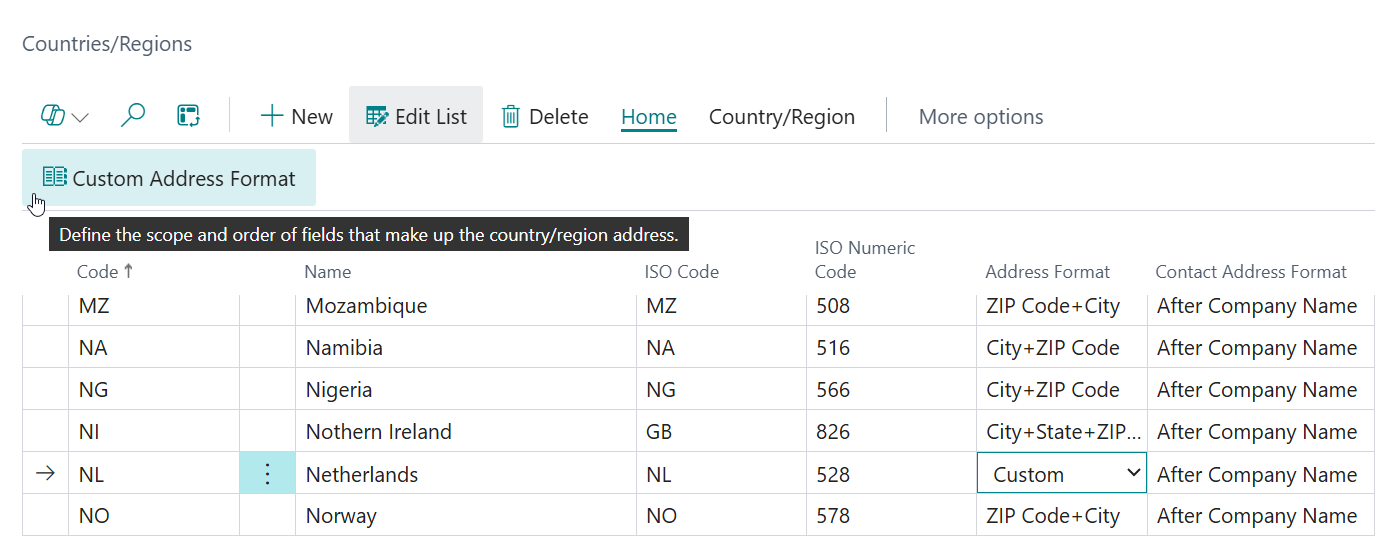
On the Custom Address Format page you can customize the order of the address lines using the Move Up and Move Down actions. Additionally, Apportunix Document Creator adds the Insert Line and Delete Line actions which allows you to also insert new lines or delete lines.
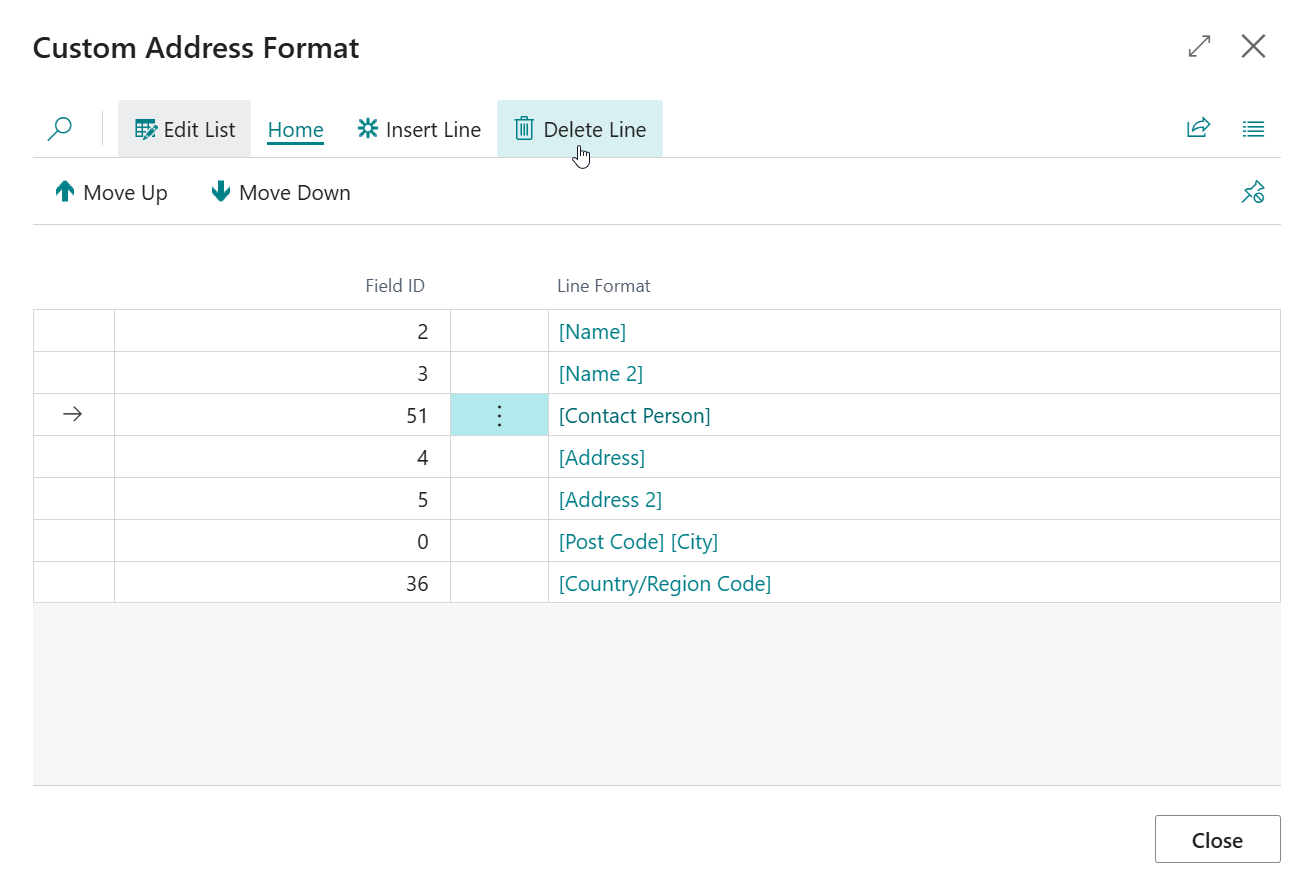
For example, if you do not want the Contact Person address line to be included, select the corresponding record and then invoke the Delete Line action. Another common example is that you do not want the Country/Region address line to be included for your local country.
Maximum number of address lines
An address block can consist of a maximum of 8 address lines.
In other words, you can have a maximum of 8 lines on the Custom Address Format configuration.